

Most sold


Storage
Storage is the computer's permanent memory where the operating system, software, and personal files are stored. Unlike RAM, storage media retain data even when the power is turned off. Modern storage is divided into two main types: lightning-fast SSDs (Solid State Drives) and high-capacity traditional HDDs (Hard Disk Drives).
How to choose the right storage?
When selecting a storage solution, it is important to balance speed, capacity, and price:
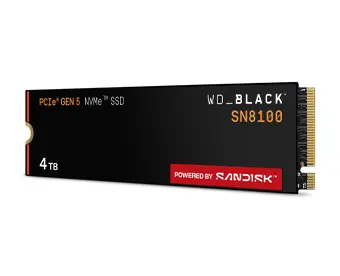
- SSD (Solid State Drive): Based on memory chips with no moving parts. SSDs are many times faster, quieter, and more durable than HDDs. The most popular form factor is M.2 NVMe, which connects directly to the motherboard's high-speed bus.
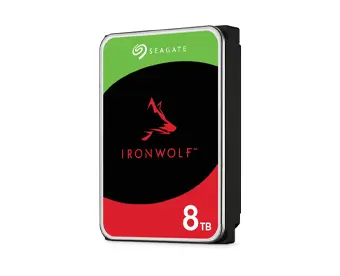
- HDD (Hard Disk Drive): Based on spinning magnetic platters. The advantage is the low cost for high capacities. HDDs are an optimal choice for long-term archiving of large amounts of data.
- Speed and Interfaces: For SSDs, speed is specified as read and write speeds (MB/s). PCIe 4.0 and 5.0 standards offer top-tier speeds, while the older SATA interface is slower but still widely compatible.
The most popular brands and standards
Key players include Samsung, Western Digital (WD), Seagate, Crucial, and Kingston. M.2 NVMe is now the leading industry standard for performance.
Frequently Asked Questions (FAQ)
Can I use both an SSD and an HDD in the same computer?
Yes. The most common setup is to use a fast SSD for the operating system and applications and a larger HDD for mass file storage.
What is the difference between SATA and NVMe SSDs?
A SATA SSD is capped at approximately 560 MB/s, whereas modern NVMe drives can reach speeds exceeding 10,000 MB/s. NVMe is significantly faster for data transfers and loading games.
Does an M.2 SSD require a separate heatsink?
Fast PCIe 4.0 and 5.0 drives can run hot under heavy workloads, which may cause thermal throttling. Many modern motherboards include integrated heatsinks for M.2 slots; if not present, a separate heatsink is recommended for high-performance drives.


